
A2F is the French abbreviation for two-factor authentication, called 2FA in Epic’s English settings. Enable it on the Epic account connected to your Fortnite progress: open Password and security, choose a method, and complete its verification code.
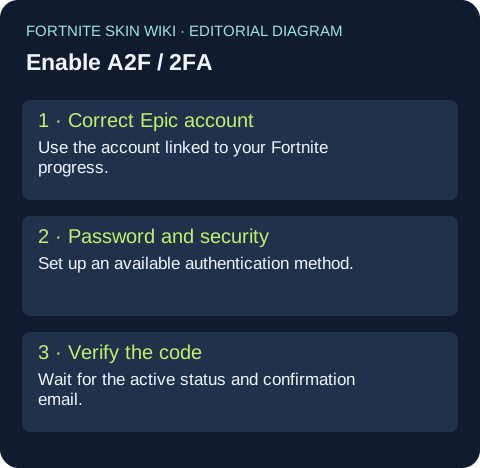
Set up A2F on the account you actually play on
Start at Epic’s Password and security page, linked in Sources below. Sign in to the account you use for Fortnite. Under Two-Factor Authentication, choose Set up beside an available method, enter its code, and wait for the active confirmation. Epic also sends a confirmation email.
If you enable more than one method, use the three-dot menu to choose a primary method. Your second factor is a sign-in check; it is not a code you paste into a Fortnite match.
Fortnite still says A2F is disabled
Epic’s troubleshooting article identifies a common cause: the setting was enabled on a different Epic account. For a console player, sign in through the PlayStation, Xbox or Nintendo account used in the game and inspect the linked Epic profile. Compare the account identity before changing anything else.
If Epic asks you to finish setting up the account, the console-created profile may not yet have an email address. Complete that setup, then enable 2FA on the resulting account. Epic says this completion preserves purchases and progress. Do not create another account merely to make a warning disappear.
What A2F lets you do
Epic requires 2FA for sending Fortnite gifts and participating in competitive events. Those features can have additional eligibility rules, so an active 2FA setting is one requirement rather than a guarantee that every gift or tournament entry will work.
Epic’s reward article confirms the Boogie Down emote for enabling 2FA. Save the World owners also receive 50 Armory Slots, 10 Backpack Slots and one Legendary Troll Stash Llama. If the reward is missing, Epic advises restarting Fortnite and checking that 2FA was enabled on the account you actually play on.
If a verification code does not arrive
Check which method you selected before requesting another code. An email code cannot be substituted for a code from an authenticator app. Keep access to your recovery methods before replacing a phone, and use the specific email, SMS or setup-error help link in Epic’s guide when the problem persists.
FAQ: why is gifting still asking for 2FA?
A PS5 player raised this mismatch in the linked Reddit discussion: the website showed 2FA enabled, but the gift flow still requested it. The thread establishes the problem, not a tested fix. Epic’s support answer is to verify that the secured Epic account is the one linked to the console account used in Fortnite. If a reward is also missing, restart the game after checking that account match.
Cómo ACTIVAR la AUTENTIFICACIÓN en DOS PASOS (2FA) en FORTNITE Capítulo 7 - 2026 - MUY FÁCIL! by WildSantiago. Published 2026-02-01. Video loads from YouTube only when you load the preview. Spanish-language 2FA walkthrough by WildSantiago. Follow Epic’s current account-security instructions if its interface differs.
Sources and verification
Checked November 5, 2026. Official sources establish the named facts; third-party reports remain attributed. Shop prices in the article are dated reference values.
Epic: enable two-factor authentication— OfficialEpic: 2FA active on the wrong account— OfficialEpic account: Password and security— OfficialEpic: 2FA rewards and missing-reward troubleshooting— OfficialReddit: player reports 2FA enabled but gifting still blocked— Player question; not verification of a fixWe have not claimed hands-on testing or guaranteed future availability. Read our sourcing and correction policy.